Migration · Framer → Astro

From Framer to Astro – when the site outgrows the tool.

Framer to Astro pays off only when the site outgrows the tool: a growing content archive, content in version control, server-side logic, control over the markup. This page covers when to move, when to stay – and what happens to your animations.

No import – a rebuild

Astro documents migration guides for a range of frameworks; Framer is not among them. The design is rebuilt in Astro while content, URLs and SEO data come across.

Motion is curated, not copied

Every animation goes into an inventory and gets decided one by one: keep, simplify or drop. We do not promise pixel-identical reproduction.

Measured, not claimed

Core Web Vitals before and after the move – using your own field data from your own project, not somebody else's benchmark.

00 — Our Apps

See for yourself what we build.

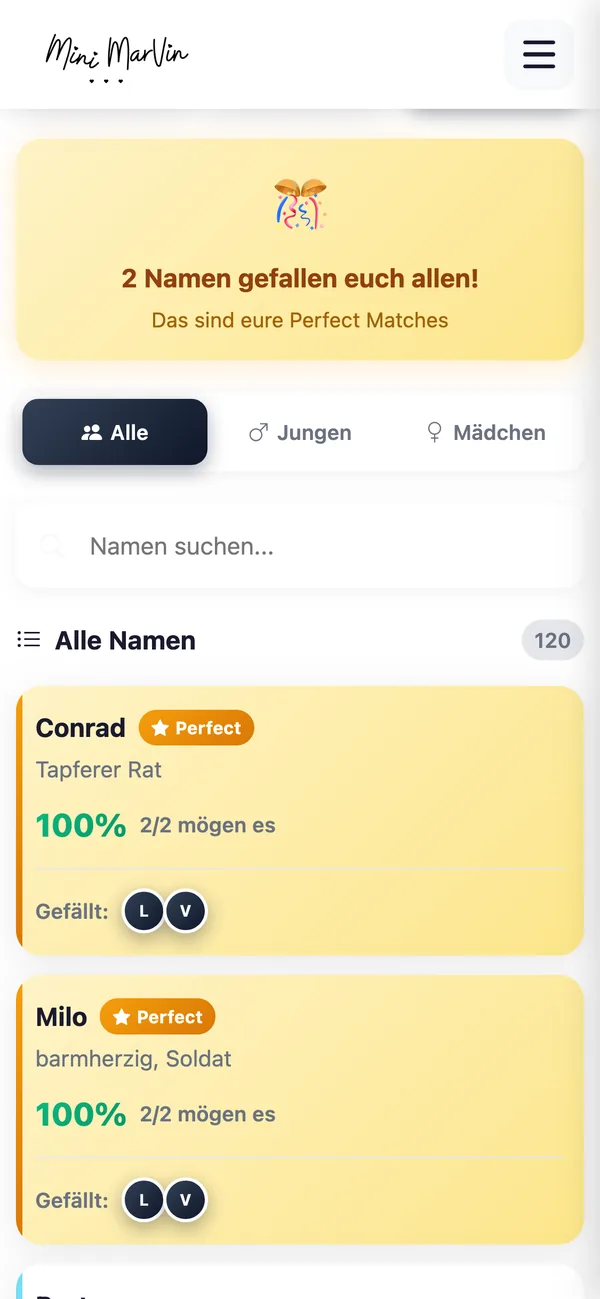
Real screenshots instead of promises: Mini Marvin is our own progressive web app – conceived, built and run live in the browser by us. We bring the same care to your web project.

Mini Marvin · PWA

Swipe baby names instead of scrolling

Mini Marvin is our progressive web app for finding baby names: swipe through 10,000+ first names – right in the browser, no app store needed.

Mini Marvin App – Swipe baby names instead of scrolling Mini Marvin App – Decide together as a couple Mini Marvin App – Filter by origin & popularity

Got a project in mind?

Describe it in three sentences – you get an honest first assessment, usually within 24 hours.

At a glance

Framer is not the problem.

  • The question is whether your website is still what Framer was built for: a design-led presence with a manageable amount of content, maintained without a developer.

The move pays off

  • When content volume grows
  • When content belongs in version control
  • When integrations and server-side logic arrive
  • When localisation scales to several markets
  • Or when a performance budget has to be enforced

Staying is often the right answer

  • – for young sites, for brands whose effect rests on motion design, for teams with no developer, and for small content sets.
  • We say so even when it costs us the project.

The path is a rebuild.

  • There is no import that turns a Framer project into a maintainable Astro repository.
  • Design and motion are re-implemented
  • Content and URL structure carry over.

Afterwards

Prefer to talk it through?

A short call clarifies scope, effort and whether we are a fit.

01 — The decision

Move or stay – the honest version.

We build with Astro and we build with Webflow. That means we do not need to sell you a migration. These two columns are the ones we use in the first call: if your situation sits mostly on the right, we will advise against moving.

Move to Astro when …

None of these are matters of taste. They describe the boundaries any visual builder eventually meets.

  • The content archive is growing. The Framer CMS is designed for modest content sets, not a large editorial archive with categories, author profiles and years of posts behind it.
  • Content belongs in version control. With history, review before publishing, and the ability to undo an unfortunate edit with a single command.
  • Server-side work arrives. Form handling with your own logic, prices or availability from another system, gated areas, personalised fragments.
  • Localisation gets serious. Not two languages as a bonus, but several markets with their own editors, their own legal pages and their own URL structure.
  • You run more than one site. Platform fees land per website. On one site nobody notices; across a portfolio of brand and campaign sites it is a line in the budget.
  • You need control over the markup. Structured data, image pipeline, third-party scripts, a performance budget somebody actually enforces – all of that assumes access to what ships.

Stay on Framer when …

A migration that resolves none of the points on the left costs money and time and buys you nothing. Then the honest recommendation is to stay.

  • The site is young and still changes fundamentally every few weeks. At that stage, speed in design beats architecture every time.
  • Motion is part of the brand. When movement is not decoration but carries the effect, the tool built for exactly that earns its keep.
  • Nobody on the team writes code and nobody is going to. A repository without people to maintain it is not progress – it is a new dependency.
  • The content stays small: a handful of pages, the occasional post, no editorial calendar.
  • The team is productive in the editor and the only complaint is "it could load faster". Images, fonts and scripts can often be fixed inside the platform.
  • What you actually want is a redesign. A new look is not a technology question. Wanting to look different is no reason to change stack.

Unsure about the stack?

We will tell you when another tool fits your project better.

02 — The triggers

How teams notice they have outgrown it.

No team changes platform because a framework is faster. Teams change when the same friction shows up for the third time. These are the six triggers Framer users actually arrive with:

The archive grew faster than planned

What started as "we post occasionally" is now two hundred articles, plus categories, author profiles, related posts and filters. A CMS built for the lean marketing site becomes the ceiling here – not because anything is broken, but because it was designed for something else.

Content without history

Somebody changed a price, nobody knows when or why, and the previous version is gone. Once content becomes business-critical, teams want what they already have for code: diff, review, rollback. That is exactly what a content model in a repository provides.

Every integration becomes a workaround

The CRM wants the form, prices come from the ERP, the calendar from a booking system. What would be a couple of lines server-side turns into embedded third-party JavaScript in a builder – and every script costs load time and another paragraph in the privacy policy.

Localisation turns into manual labour

Two languages still run alongside each other. With five markets, local editors, market-specific legal texts and dedicated landing pages, you need a content model that treats translations as structure – not as a duplicated page.

Platform cost adds up

One website with a platform fee is unremarkable. A portfolio of brand, product and campaign sites is a recurring budget line that grows with every new landing page. A statically served Astro site, by contrast, sits on hosting that often stays inside providers' free tiers.

No access to the markup

You need a particular schema markup, a different image format, a different loading order, or you want to remove a script that is dragging your Core Web Vitals down. A visual builder abstracts that layer away – which is its purpose, and in this situation your problem.

Got a project in mind?

Describe it in three sentences – you get an honest first assessment, usually within 24 hours.

03 — What carries over

What carries over – and what gets rebuilt.

The expectation to set first: there is no button that turns a Framer project into an Astro repository. Some things move as data, some as a template, some get replaced. This table states what actually happens to each part.

An assessment from our project practice. How much effort each row means in your case is settled before the quote – not on the final invoice.
Part of your siteDoes it carry over?What that means in practice
Design: layout, typography, colour, grid As a template, not as a file Your design survives; your Framer file does not. We derive a component and token system from the existing site and rebuild it in Astro. The result looks like your brand – and is from then on described in code rather than in an interface.
Motion and interactions Partly, and deliberately rebuilt We inventory every movement and decide per effect: keep, simplify, drop. Page-to-page motion uses Astro's built-in view transitions, small stuff runs in CSS, everything else becomes an island that ships JavaScript. Full detail in the section below.
CMS content, posts, collections Yes, as structured data Entries are extracted and moved into a content model: content collections with a Zod schema, or a headless CMS. Field names, slugs and dates stay stable – which is the precondition for keeping your URLs unchanged.
Forms No – they get reconnected Form handling belongs to the platform and stays behind. In Astro the form gets a destination: a server-rendered route with an adapter for your runtime, or an external service. Spam protection, double opt-in and GDPR-compliant delivery are decided fresh.
SEO settings: titles, descriptions, OG images Yes, carried over as content What is maintained per page in the platform today becomes fields in the content model – validated, so no title silently ends up empty. OG images become a field like any other instead of living in an interface.
URLs, redirects, sitemap, robots.txt Yes – and this is the critical part Before the move we pull every indexed URL and build a complete 301 map from it. Sitemap and robots.txt are generated at build time. Redirects get tested before go-live, not after.
Hosting, domain, platform subscription No – and that is often the point The build produces static HTML that can sit on almost any hosting; only server-rendered routes add an adapter for Node, Vercel or Cloudflare. Domain, repository and hosting account run in your name afterwards.

Prefer to talk it through?

A short call clarifies scope, effort and whether we are a fit.

04 — Process

How a move from Framer to Astro runs.

Six phases, each with a result you can review. Phase one is allowed to end with "stay on Framer" – that is a legitimate outcome, not a lost pitch.

Inventory and an honest decision

We record what exists: pages, templates, CMS collections, forms, embedded services, language versions – plus a separate inventory of every animation. Out of that comes a recommendation with an effort range. If the move buys you nothing, the document says so at this point.

Measurement before the move

We capture the current state: Lighthouse scores, Core Web Vitals from your field data, the list of indexed URLs, current rankings and conversion numbers. Without that baseline nobody can show afterwards whether the move helped – and we do not claim what we have not measured.

Content model and CMS decision

Which content becomes a collection, what fields each schema needs, who maintains them and how often. Only then is it clear whether Markdown in the repository is enough or a headless CMS joins the stack. That decision happens before the first commit, not after launch.

Rebuild in Astro

Layouts, components, design tokens, image pipeline, routes and language versions. By default Astro strips all client-side JavaScript out of components – interactivity comes back deliberately, component by component. You get a walkable staging version early rather than a finished result at the end.

Bring motion back on purpose

The motion inventory turns into a build list: page transitions through the built-in view transitions, state and hover movement in CSS, elaborate effects as islands with their own loading moment. Every effect that costs JavaScript has to justify why it is worth it.

Launch with a redirect net and a second measurement

Redirects go live, domain moves, sitemap submitted, monitoring on. Then we watch indexation, rankings and Core Web Vitals for several weeks and correct what needs correcting. The comparison against phase two is your evidence – not our claim.

Unsure about the stack?

We will tell you when another tool fits your project better.

05 — Motion

What happens to your animations.

This is the question every Framer project hangs on – and the one the existing comparison articles skip. Here is the complete answer.

Part of why Framer is popular is that movement is never a special case there: transitions, scroll effects and hover states are made in the editor. Moving to Astro does not delete that layer – but it turns it from a setting into a decision. That is the real difference, and we say it upfront rather than afterwards.

First: the motion inventory

Before anything gets built, we walk your site and write down every movement: page transitions on navigation, reveal on scroll, hover on cards, counters, parallax in the hero, sliders, cursor effects. Then each entry gets one of three marks. Carries the brand – rebuilt carefully. Useful – kept in a simpler form. Decoration – dropped. In our experience most of a typical marketing site lands in the latter two categories and nobody misses anything afterwards. The entries in the first category are the reason we sometimes advise clients not to move at all.

Second: page transitions are built into Astro

Motion between two pages needs no extra package. View transitions are built in, and <ClientRouter /> is described in the documentation as "a built-in, lightweight component to enable client-side routing". That covers soft transitions and elements persisting across pages – the sense of continuity a Framer site often trades on. The default matters: the router is opt-in. Without it, every page navigates as an ordinary full-page load with no router JavaScript at all. So you decide, deliberately, whether that effect is worth the client-side code.

Third: most of it needs no JavaScript

Hover states, focus styles, smooth colour and size changes, expand and collapse, sticky behaviour and even many scroll-linked effects can be done in CSS today. That fits the architecture exactly: Astro removes all client-side JavaScript from components by default. Movement that runs in CSS does not spend that budget. Respecting prefers-reduced-motion belongs here too – on sites arriving from builders, that is often the first real accessibility gain after the move.

Fourth: elaborate effects become islands

Whatever genuinely needs JavaScript – an interactive configurator, an elaborate timeline, a canvas effect – becomes an island: an enhanced UI component on an otherwise static page of HTML, hydrated through a client:* directive. The loading moment is part of the design: client:load for what must respond immediately, client:idle for the non-critical, client:visible for anything only needed once it scrolls into view. For scroll animations the last one is the normal case – the effect brings its code exactly when it becomes visible, not on first page load.

And the promise we will not make

We do not commit to every animation looking pixel- and millisecond-identical after the move. A visual builder and hand-written code land on different curves in places, and the honest route is to say so beforehand rather than explain it afterwards. What we do commit to: a complete inventory before the quote, a decision per effect made together with you, and a performance budget every movement has to measure up against. If working through that list shows your brand is essentially made of motion, that is a strong argument for staying on Framer – and you will hear it from us before you sign anything.

Built into Astro

View transitions via the ClientRouter, explicitly opt-in. Without it, pages navigate the classic way.

What motion costs

Every island ships client-side JavaScript. So every effect gets a loading moment – client:load, client:idle or client:visible.

Proof is measured

When we talk about speed, we talk about your numbers before and after. Other people's benchmarks are no use to you – more on Astro performance.

Got a project in mind?

Describe it in three sentences – you get an honest first assessment, usually within 24 hours.

06 — After the move

Who maintains the site once the editor is gone?

This is the second real objection to moving, and the more important one. Anyone who chose Framer usually also chose not to need a developer for a paragraph. That expectation has to survive the migration.

The classic answer is a CMS for Astro: content lives in content collections in the repository or in a headless CMS, your team edits in forms, and saving triggers a build and a deploy. For teams with editors, that is the right setup. For the solo founder who corrects a price twice a quarter, an editorial system is overhead – another login, another monthly invoice, another interface nobody opens.

The modern AI stack: edit your website by chat

So we do not only build with Astro; we put a modern AI stack on top of it. Concretely: you change your website in a chat – through a Telegram bot, for example. Reword a paragraph, add a blog post, swap an image, correct a price: as a message rather than a CMS session. For many people leaving Framer this is the point at which the move becomes acceptable at all, because the convenience of the editor is not traded away for a command line.

It works because Astro content lives in a typed, schema-validated content model. The Zod schema in src/content.config.ts describes which fields exist and what type they are – which makes it the guard rail system for an agent as well: it can only fill fields that exist, in formats that validate. A faulty edit fails in the build, not on the live site. Every change lands as a reviewable commit followed by a deploy, so there is history, review and rollback. The same holds when your content lives in a headless CMS with an API.

This is not a concept slide here: we already run a WhatsApp AI agent in day-to-day operation. Chat agents are working practice for us, which is why we can talk seriously about what they do and what they do not.

And the limits, so this does not turn into marketing talk: the chat route does not replace an editorial system for large teams with multi-stage approvals – it complements one. Editorial responsibility stays with you; an agent proposes and writes, it does not decide. Structural changes – new page types, new layout, new navigation – remain development work. And the scope is defined per project: which fields, which collections, which level of approval. The detail is on the page edit your website by chat. It suits large enterprises with editorial teams just as well as the sole trader or SME who will never open a CMS.

Prefer to talk it through?

A short call clarifies scope, effort and whether we are a fit.

07 — Timeline

How long does the move take?

Prices are not on this page; timelines are. The ranges below are our own experience for our own way of working – counted from an approved inventory to go-live. What moves them sits alongside, in full. We would rather name those variables now than in the week-five status call.

  • Compact site: 3 to 5 weeks – Up to roughly ten pages built from three to five templates, one small CMS collection, and motion that mostly lands in the "useful" and "decoration" buckets. This is the typical startup or product site Framer users arrive with.
  • Grown site with an archive: 6 to 10 weeks – Twenty to a hundred pages, several collections referencing each other, a headless CMS with roles and an onboarding session, two languages, one or two integrations. Most of that time is not the build – it is content migration and the checks that follow it.
  • Several markets, heavy motion, real system integration: from 10 weeks – Three or more languages with their own editors, server-rendered routes for CRM, booking or pricing, plus effects the inventory explicitly marks as brand-carrying. We plan those in stages and go live with the load-bearing part first.
  • Before that: 1 to 2 weeks of run-up – Inventory, motion inventory, the baseline measurement and the decision itself all sit ahead of these ranges. That phase is allowed to end with "stay on Framer" – it has still earned its money.
  • After that: 8 to 12 weeks of watching – That is how long we watch indexation, positions and Core Web Vitals after go-live and correct what needs correcting. Some movement in the weeks after a relaunch is normal, which is why this window is planned rather than optional. We do not promise unchanged positions.

What moves the range most

The number of distinct templates, not the number of pages. Fifty pages built from four templates finish sooner than twelve pages that are each laid out differently.

Migrating content or rewriting it

Carrying content over is diligent work with a clear end. Rewriting or restructuring it is a project of its own and stretches the range considerably. We separate the two in the quote so the decision stays yours.

CMS, languages, integrations

A headless CMS instead of Markdown adds one to three weeks for modelling, roles and onboarding. Every further language with its own editors, and every server-side connection to another system, comes on top.

How much motion survives

What matters is how many effects the inventory marks as brand-carrying. You help set that list – it is the one time driver you hold directly.

Your approval cycles

The most common quiet delay. When feedback arrives in one batch once a week, a six-week build typically stretches by two to three weeks. That is why approval dates sit in our schedule rather than in the small print.

Access and licences

Small but date-critical: DNS access, the analytics account, and whether the fonts your site uses are licensed outside the platform too. We settle that in phase one so it does not surface in the week before go-live.

Is the move worth it in your case?

Send us the URL of your Framer site and three sentences on what prompted the question: content volume, planned integrations, who maintains the site. You get an assessment with an effort range – and a clear answer if staying is the better call.

08 — At a glance

Framer and Astro at a glance.

This page in one table – made for forwarding to the people who get a vote but will not read the whole thing. The last row is not a summary; it is our opinion.

A comparison from our project practice, not from a datasheet. We build with Astro and we build with Webflow – a migration has to pay off for you, not for us.
What it comes down toFramerAstro, built by us
Editing content without a developer Core strength. Visual editor, publish in a click, the word deploy never comes up. Through CMS forms or Markdown in the repository – and, if you want it, by chat, for instance through a Telegram bot. Set up once, then usable without a developer.
Motion and interaction Built in the editor without code, with very fine control over curves and triggers. Re-implemented: page transitions through the built-in view transitions, most of the rest in CSS, elaborate effects as islands with their own loading moment.
Content model and archive size Designed for modest collections. A large editorial archive is where it gets tight. Content collections with a Zod schema and built-in caching, explicitly meant for thousands of entries – or a headless CMS.
History and undo for content Content does not live in a Git history; who changed what, and when, is hard to reconstruct. Every change is a commit: diff, review before publishing, rollback with one command.
Server-side logic and integrations Through embeds, external services and third-party JavaScript on the page. Chosen per route: prerendered or server-rendered, with an adapter for Node, Vercel or Cloudflare.
Control over what ships The platform decides markup, image formats and script order. That is its purpose, not its flaw. Markup, image pipeline, structured data and loading strategy live in your repository and can be changed one at a time.
Operating model and dependency Platform fee per website, operations included, very little to run yourself. Hosting of your choice, static HTML often staying inside free tiers – in exchange you need somebody who maintains the repository.
Time to the first live page Hours to days. That head start is real and rarely gets a fair mention in comparisons. Weeks. The effort sits in the inventory, the content model and the redirects – the ranges are under Timeline.
Our take Stay while your site is design-led, manageable in size, and meant to be maintained without a developer. In that situation Framer is not a compromise; it is the more efficient answer. Move once two of the rows above hurt at the same time – usually archive size plus integrations. Moving for motion alone almost never pays. Moving for the content model and for control almost always does, provided somebody is there to maintain the repository.

Unsure about the stack?

We will tell you when another tool fits your project better.

09 — FAQ

Frequently asked questions about moving from Framer to Astro.

Can you export a Framer project to Astro?

No – not in any way that leaves you with a maintainable project. Astro documents migration guides for a range of frameworks such as Next.js, Gatsby, Hugo, Jekyll and WordPress; Framer is not among them. So the path is a rebuild: the design is reconstructed in Astro as a component and token system, while content, collections, metadata and URL structure carry over. What you do not lose is your design – only the file stays behind.

Will we lose our rankings when we move from Framer to Astro?

Not if the move is planned. Before the switch we pull every indexed URL and build a complete 301 map, keep the title and heading structure of the load-bearing pages stable, and test every redirect on staging. After go-live we watch indexation and positions for several weeks and correct as needed. Rankings rarely get lost to technology in a relaunch – they get lost to forgotten URLs.

Will our animations survive the move?

The important ones will, but re-implemented – and we do not promise pixel-identical reproduction. Page transitions use Astro's built-in view transitions, hover and state movement runs in CSS, elaborate effects become islands with their own loading moment. Before the quote you get an inventory of every movement with a recommendation per effect. If your brand is essentially motion, we will tell you Framer remains the better home.

Can we still maintain content without a developer afterwards?

Yes, if it is set up that way – and we set it up that way. Either through a headless CMS with proper forms, where saving triggers the deploy, or directly through Markdown files in the repository, where the Zod schema reports a missing field before anything goes live. For teams with no appetite for another system we also set up the chat route: change text, swap an image, add a post, as a message. Structural changes stay development work.

What does a Framer to Astro migration cost?

Three things set the frame: the number of distinct page templates (not pages), the volume of content to carry over including the CMS decision, and how much motion actually has to be rebuilt. Integrations and, with several languages, the localisation structure come on top. After the first call you get a defensible estimate with its assumptions stated. The cost drivers in detail are on Astro development cost.

When should we stay on Framer?

When the site is young and still changes often, when motion design carries the brand, when nobody on the team writes code, and when the content stays small. In those cases Framer is exactly the right tool and a migration spends money without solving a problem. We will say so in the first call – we build with other tools too, so we do not need to sell you Astro.

We are comparing Framer, Webflow and Astro – what do you recommend?

It comes down to who maintains the site after launch and how much content is coming. Framer is strong when design and movement lead. Webflow fits when marketing needs to publish without a deploy – we build that too. Astro fits when content, integrations and control over delivery matter more. The route from the other platform has its own page: Webflow to Astro. And if you want the framework itself explained, see what is Astro.

Our brand runs on scroll and hover animation. What of that can you actually rebuild in Astro?

Reliably rebuildable: scroll reveals, staggered fade-ins, sticky sections, parallax in the hero, hover and state changes, and page transitions with elements persisting across them – the last through the built-in view transitions. More work but doable: nested timelines, spring-like motion curves, cursor-driven scenes. Those arrive as islands with their own loading moment and their own budget. What we do not commit to is pixel- and millisecond-identical agreement with the Framer version.

Is it worth rebuilding every single animation?

No, and that is exactly what the motion inventory is for. Effects that only register on the very first visit but cost code on every page view – preloaders, counters, text scrambling, cursor followers – we usually cut. We deliberately rebuild anything that blocks the main content on arrival or causes layout shift: content first, movement after. Every movement also gets a reduced-motion fallback. You help decide the cut list; we propose it.

We have several CMS collections that reference each other. Does that structure survive?

Yes, as structure – not as a file. Each collection becomes a content collection with a Zod schema, or a model in the headless CMS. References between collections, such as post to author or project to category, become reference fields and get validated at build time. The gain afterwards: a broken reference or a missing required field breaks the build instead of showing up as an empty card on the live site. Field names and slugs stay stable.

We have several hundred posts in the Framer CMS. How do they get out, and is there downtime?

Entries are extracted as structured data: fields, slugs, dates, images and references. Images pass once through the Astro image pipeline. We then check entry against entry versus the old site – counts, slugs, required fields. There is no downtime: both systems run in parallel until the domain switches, with the new site on staging. Before the switch we lower the DNS TTL and freeze editing briefly, so no post ends up in one system only.

What happens to our forms – and to the submissions already in them?

The form itself is reconnected: either to a server-rendered route with an adapter for your runtime, or to an external service. Spam protection, double opt-in, forwarding into the CRM and the data processing agreement are all decided fresh. The part almost nobody thinks of: submissions already received live in the platform and have to be exported before you cancel. That sits on our acceptance checklist, not in a footnote.

We have custom code components in Framer. Can they be reused?

Partly, and that is the good news: those components are React. The actual logic can often be carried over and mounted as a React island in Astro – React has an official integration, and the component is hydrated through a client:* directive. What does not come along are platform-specific APIs and property controls; those become props, or fields in the content model. Effort per component: a few hours to several days, depending on how deeply it is wired into the platform.

Our project has embeds and third-party scripts in the head. What becomes of them?

First an inventory, then a decision per script. Chat widget, analytics, booking tool: much of it is a script tag in Astro too – the difference is that you decide the loading moment and the order, and can hold individual scripts back until consent is given. Some we replace server-side, for example the direct path from form to CRM, which removes the script entirely. Whatever remains gets a loading strategy and an entry in your privacy policy.

Framer handles sitemap, robots.txt, canonicals, meta tags and redirects for us. Do we have to maintain that by hand afterwards?

No – it just becomes explicit instead of silent. Sitemap and robots.txt are generated at build time, canonical and hreflang come from the layout, and title, description and OG image become schema fields whose length is validated. It is configured once, not per page. Your existing redirect rules are pulled out of the platform and folded into the 301 map, so older moves are not lost a second time. Chains get collapsed onto one target.

Does a niche framework make it harder to hire developers?

In practice it tends to go the other way. Astro is the presentation layer and explicitly UI-framework-agnostic: components are HTML and CSS, and interactivity comes from React, Vue, Svelte, Preact, SolidJS or Alpine. Anyone who knows one of those is productive in an Astro project within days. What you end up with is an ordinary Git repository with npm dependencies. In a builder, by contrast, the knowledge is tied to one particular interface.

What happens if we part ways, or if you drop out?

Repository, domain and hosting account are in your name from day one – we work inside them, we do not own them. The stack is deliberately ordinary: Astro under the MIT licence, Git, Markdown or a CMS of your choosing. Handover includes a README, the deploy description and the content schemas. Any team that knows Astro or React can pick it up. If you want to continue in-house, we spend the final weeks pairing so your team ships its first own change with us still there.

Who is liable if something breaks after launch?

Defects in what we built we fix under the agreed warranty, without a new invoice. So that everyone knows what we are talking about, there is an acceptance round before go-live with a checklist: redirects, forms, metadata, analytics, legal pages, language versions. What comes after that – updates, monitoring, small changes, new pages – is operations and runs on its own agreement. The options are on Astro support and maintenance.

How long does a Framer to Astro migration take?

For a compact site of up to roughly ten pages we plan three to five weeks from an approved inventory. For a grown site with an archive, a headless CMS and two languages, six to ten weeks. From three markets, server-side connections and a lot of brand-carrying motion onwards, we plan in stages. Ahead of that sit one to two weeks of inventory and measurement; after it, eight to twelve weeks of watching. The variables are under Timeline.

Is Astro free?

Yes. Astro is free open-source software under the MIT licence, commercial use included. There is no licence fee for the framework itself. Costs come from development, hosting and – if you want one – a CMS. There is no per-website platform fee the way a builder charges one.

Does Astro need a server?

Not necessarily. By default the entire site is prerendered and served as static HTML, which runs on almost any web space or CDN. Only when individual routes need to render at request time – form handling, gated areas, live data – does an adapter for Node, Vercel or Cloudflare come into it.

Can Astro run a blog?

Yes, that is the core case. Posts live as Markdown in a content collection with a Zod schema. Astro provides typed queries such as getCollection() and caching that is explicitly meant for thousands of entries. Categories, author pages, feeds and pagination fall out of that as routes.

Is Astro good for SEO?

Astro ships finished HTML by default, which crawlers can read without executing JavaScript, and it leaves you in control of metadata, structured data and the sitemap. Rankings do not appear on their own because of it – but a whole class of technical obstacles disappears. The rest is content.

Who is behind Astro?

Astro is an open-source project under the MIT licence, copyright 2021 Fred K. Schott, developed in the withastro repository on GitHub by a core team and the community. The current major line is Astro 7. The project follows semantic versioning, with extended maintenance for exactly one previous major.

Outgrown your Framer site? Let us talk.

Tell us briefly where it pinches – content volume, integrations, cost or performance. You get an honest assessment of effort and benefit. Usually within 24 hours.

— Contact

Request a Framer to Astro migration.

The URL of the existing site, a rough page count and what prompted the change – three sentences are enough for a first assessment.

Call now +49 155 63582204 Message on WhatsApp Write an email

We usually reply within 24 hours.
Remote & on site – working across the DACH region (DE, AT, CH), with international project experience.

What is it about?
Timeframe (optional)

Your details are only used to process this inquiry – no newsletters, no sharing.