Headless CMS agency: architecture first, tooling second.
Headless means your content lives in a system that hands it out as data through an API – and a separate presentation layer decides what a page looks like. We plan that architecture, help you pick a content system that fits how your editors actually work, and build the presentation layer with Astro. Vendor-neutral, because we sell no CMS licences. And blunt about it when your case needs no CMS at all.
Vendor-neutral advice
We sell no CMS licences and take no referral commission. The recommendation follows your editorial reality – sometimes it is "no CMS at all".
Astro as the presentation layer
Astro is CMS-agnostic, renders on the server and ships static HTML by default. Content arrives from whichever content API you choose.
Honest about the trade
Headless buys multi-channel content and a smaller public attack surface. It costs preview convenience, integration effort and a second system to operate.
- What headless means: content sits in an editing system that exposes it only through an API. A separate presentation layer turns it into pages – for us that is usually Astro.
- What it buys you: one piece of content across several channels, no plugin or update surface on the public site, and editors who still work in a real editing UI with roles, media and versions.
- What it costs you: preview and approval have to be built rather than bundled, you operate two systems instead of one, and the start is an integration project – not a theme install.
- Often the right answer is no CMS. Astro content collections keep content type-safe inside the project. For a marketing site maintained by a small team that is frequently enough – see Astro and CMS options.
- If WordPress has to stay: WordPress can run headless, editors keep their familiar editor and only the front end is rebuilt. The process: WordPress to headless CMS.
What a headless CMS actually changes.
Most headless conversations are about tools. The real decision sits one level above that: you separate content from presentation, and then you live with the consequences – the good ones and the inconvenient ones.
- Content and presentation are separated – The CMS stores headline, body, image and relationships – not a finished page. What that becomes is decided by the presentation layer. Astro is built for exactly this role: rendering happens on the server, the browser receives lightweight HTML.
- One piece of content, several delivery paths – Because content exists as structured data, a mobile app, a newsletter tool, a partner portal or an in-store screen can consume the same entry as the website. That is the point where the extra effort pays off – or where it does not.
- The public website has no CMS surface left – No login screen, no plugins, no themes on the page you actually ship. The public attack surface shrinks to what you built yourself. The editing system keeps running behind it – and still needs patching there.
- Your editors keep a real editing UI – Headless does not mean Markdown in a terminal. A good headless CMS brings forms, roles, approvals, media libraries and version history. What it does not automatically bring is a preview of the finished page – that gets built.
- You run two systems instead of one – CMS, front end, build and deploy pipeline, webhooks, image handling, maybe a search index. More moving parts means more places something can jam – and an operations plan written before the first incident, not after it.
- The start is an integration project – You are not buying a theme or installing a plugin. Content modelling, API integration, preview, migration and redirects are real work. In exchange, you can afterwards change the front end without touching the editing system, and the other way round.
Presentation layer
Astro is CMS-agnostic. The Astro documentation carries dedicated integration guides for Storyblok, Sanity, Contentful, Strapi, Payload, Directus, Decap, Keystatic, TinaCMS and headless WordPress, among others.
Delivery
Static prerendering is the default. Individual routes can render on demand on the server – that needs an adapter for the target runtime, for example Node, Vercel or Cloudflare.
Interactivity
Client-side JavaScript only reaches the page where a component explicitly asks for it. Search, filters or a configurator stay islands instead of weighing down the whole page.
Go headless – or stay on the CMS you have?
Both columns are meant seriously. We have no interest in selling you an architecture your team cannot operate afterwards.
Go headless when …
Not every point has to apply. Two or three are usually enough to make the maths work.
- the same content has to reach several channels – website, app, newsletter, partner portal, point of sale.
- you serve several brands, markets or languages from one editorial team and want to reuse content across them.
- the public website should no longer carry an attack surface made of plugins, themes and login screens.
- your content is already structured: product data, locations, job ads, reference databases, price lists.
- design and front end need to change more often than the editing system – or a relaunch is due every couple of years.
- you have a development team or a retained partner who will keep evolving the front end.
Stay on your CMS when …
The move costs money and attention. If two points here apply, we will advise against it – even when that costs us the project.
- your website is a manageable marketing site and nobody internally complains about maintaining it.
- the editorial team leans heavily on plugins: form builders, booking, membership areas, shop, event calendars.
- nobody can look after a front end and no budget is planned for ongoing care of one.
- the real pain is design and conversion rather than architecture – then a relaunch in Webflow or a plain Astro site is usually the faster route.
- what you are actually building is an application with logins and business logic. For that we build custom software instead of bending a CMS setup.
- you want headless mainly because it sounds modern. That is not a reason, that is a risk.
Headless CMS options at a glance.
We are not tied to any one system. This overview shows who each option typically suits, what working in it feels like for editors, and what to check before you commit.
| Option | Who it suits | Editing experience | What to watch |
|---|---|---|---|
| No CMS – Astro content collections | Marketing and documentation sites whose content is maintained by a handful of people comfortable with Markdown and Git. | Files inside the project, validated type-safely against a Zod schema. An edit is a commit, publishing is a build. | Not an option without a technical team. The moment several departments need to write without touching Git, you need an interface – or a different route in, such as editing by chat. |
| Git-based CMS – Decap, Keystatic | Teams that want an editing form but prefer to keep content in the repository next to the code. | Browser forms that quietly produce commits in the same repository as the code. | Barely any editorial workflow for larger teams. Preview depends on the build, and approvals are convention rather than a feature. |
| TinaCMS | Editors who would rather change copy directly on the page without leaving the repository behind. | Visual editing in the context of the real page, with content still versioned in Git. | More moving parts than Decap or Keystatic. Setup, permissions and editor configuration need ongoing care. |
| Storyblok | Marketing teams that want to assemble landing pages themselves from a set of approved blocks. | Visual editor with a live preview of the actual page. | The preview route has to be built and maintained. Without discipline the block library sprawls until nobody knows which component is which. |
| Sanity | Product and content teams with their own content model and many relationships between entries. | Customisable editing UI, structured querying, solid collaboration on a single document. | The editing UI is itself code – somebody has to maintain it. Model queries, roles and draft states properly and early. |
| Contentful | Enterprise-adjacent setups with approval processes, several brands, markets and languages. | Established editing UI with clear roles, environments and translation workflows. | Run the licence and seat model through a spreadsheet first. Fix the content model early – later restructuring is expensive. |
| Strapi | Teams that want or have to run the CMS in their own hosting for regulatory or organisational reasons. | Self-configured forms, roles and permissions, close to your own data model. | You operate it: updates, backups, security. Which is exactly the maintenance many teams hoped to escape by going headless. |
| Payload | Development teams on a TypeScript stack that want editing and custom logic in one system. | Editing forms generated from the data model; extensions are code. | As with Strapi, operations sit with you. Without development capacity in-house or on retainer this creates a dependency. |
| Directus | Cases where the content already lives in a database: a PIM extract, ERP data, grown internal databases. | An admin UI placed on top of existing tables, very close to the data model. | Strong for data, middling for narrative text. Editorial writing feels different here than in a purpose-built editorial CMS. |
| Headless WordPress | Editorial teams who know WordPress and should keep it while the front end is rebuilt. | Everything stays exactly as the team knows it – only the page that ships is a different one. | WordPress keeps running and keeps needing updates, it is just no longer public. Preview and cache invalidation are handwork. How the switch runs. |
How a headless CMS project runs with us.
The order is the actual trick: understand what gets maintained, then model it, and only then choose the system. Start with tool selection and you will end up shaping your content model around the tool.
Content inventory
We look at what you genuinely maintain: page types, required fields, images, translations, who changes what and how often, and where somebody is quietly fixing things by hand. This list decides the CMS later – not the feature matrix on a vendor site.
Content model before tool choice
Which content types exist, how do they relate, what is reusable, what is page decoration? A clean model survives a later system change. A bad one migrates along with you and gets more expensive on the way.
Shortlist and a real editorial test
Two or three candidates, one real content type from your own house, your editors typing themselves. An hour of practice with real content beats every feature table and every sales demo.
Integration and front end in Astro
Content API integration, page rendering, image pipeline, navigation, search and forms – everything the CMS deliberately does not ship. More on the front-end side: Astro web development.
Preview, deploys and caching
Editorial preview of drafts, a webhook on publish, then a rebuild or a targeted invalidation. This is the part headless projects love to underestimate – and the part that decides whether your editors enjoy the new system or merely tolerate it.
Migration, redirects, go-live
Move the content, lock down the URL structure, map every old address, keep measuring after launch. On larger programmes we also take on IT project management across your departments and vendors.
How long this takes – selection and build, counted separately.
Prices are not on this page. Timelines are. The split matters: choosing a system is a short project of its own. Building on it is the actual project. Treat them as one number and the plan will surprise you later.
Four shapes cover almost every headless enquiry that reaches us. Counted from kickoff, not from the first email – and assuming one person on your side who is allowed to decide.
- Selection only, as its own engagement: two to four weeks. Content inventory, a draft content model, a shortlist of two or three systems, a real editorial test with your own content, then a written recommendation including the licence and operating maths. What you get at the end is a decision, not a front end. This can be booked as plain Astro consulting without a build having to follow.
- Pilot before you commit: two to three weeks. One content type, one candidate system, one real page template with draft preview. Your editors genuinely work in it for a week. The pilot answers the question no feature table answers: does your team actually like this system?
- Marketing website with a CMS, one language: eight to twelve weeks. Selection included. Six to twelve page types, a modelled content structure, preview, roles, image pipeline, forms and one or two integrations. The largest single item is rarely the content API wiring – it is the model behind it.
- Several languages, approval stages or a large legacy archive: from fourteen weeks. Every additional language touches content model, routing, preview and redirects at the same time; every approval stage touches permissions and process. If content has to be carried over from a grown system, we estimate that part separately – with WordPress as the source, along the process on WordPress to headless CMS.
The effort of a content migration does not scale with the number of entries but with the number of exceptions. Four thousand clean posts sharing the same fields move faster than four hundred that grew inline HTML, shortcodes and three generations of image sizes over the years. That is why we look at real records before estimating, rather than at the count in the dashboard.
One window sits behind go-live and we name it in advance: we watch indexation, error pages and Core Web Vitals for four to eight weeks. Movement in the first weeks is normal, a permanent loss would be a planning failure. Which point inside each range applies to you is something we say after the first call, together with the assumptions it rests on. What it costs is itemised on Astro development cost.
What shortens the selection
Clear answers to three questions: who writes, who approves, and where should the content go besides the website? With those settled, the shortlist takes an afternoon. If they are not settled, that is the actual work – and it is what the two to four weeks are for.
What stretches the build
Every additional page type, not every additional page. Content written from scratch instead of carried over. Every further language. Every approval stage. Integrations with CRM, ERP, booking or payment providers. And a content model that has to be invented because so far it only exists in the heads of the editorial team.
The usual reason for delay
Not the technology: content and sign-off. When copy, images and access are ready and feedback returns within a few working days, the plan holds. When it does not, the date moves – and we say so early instead of waiting quietly. Where coordination spans several departments and vendors, we can take on project management as well.
Not sure headless is the right answer?
Describe in three sentences who maintains your content and where it hurts. You get an assessment with reasoning – including the version that says "you do not need a CMS for this".
Headless as a decision – at a glance.
Nine dimensions that genuinely come up in selection meetings: answered short, each with its caveat beside it. The last row is our opinion, not a summary.
| Criterion | How it looks with Astro | The caveat |
|---|---|---|
| Day-to-day editing | Your editors work in an interface with forms, roles, a media library and version history. Astro turns that into the page you ship. Teams that never want to open an interface at all use content collections or editing by chat. | The feeling of "I can see what I am building while I write" does not come for free. Without a visual editor, editors work in fields rather than on the page – liberating for some teams, a loss for others. |
| Preview and approval | Draft preview is a dedicated route that pulls unpublished entries from the API and renders them in the real layout. Approval stages, roles and version history come from the CMS itself. | Preview is built functionality, not a checkbox in the settings. Every new page type has to be accounted for in it. That is ongoing effort, better planned for than discovered. |
| Migrating existing content | We move content by script: map every field onto the new model, carry images across with their alt text, lock down the URL structure, redirect every old address, keep measuring after launch. | The effort scales with exceptions, not with entries. Inline HTML, shortcodes and unstructured free-text fields are handwork. That is why we only estimate this part after seeing real records. |
| Licence and pricing model | The range runs from free – content collections, Decap, Keystatic, self-hosted Strapi, Payload or Directus – to subscriptions charged per seat, per entry, per environment or per API call. | This is exactly where the cost trap sits: those models grow with team size, content volume and traffic, which is to say with success. We run a three-year projection before the decision, using the team you will have then rather than the one you have today. |
| Data residency and the EU | The Astro build runs on static hosting or a CDN, including with a provider in Germany or the EU. Self-hosted CMS platforms sit wherever you put them. | With hosted CMS platforms the vendor decides the region and the subprocessors. That belongs in the decision, not in the acceptance meeting. We name every service in use; we do not give legal advice – see GDPR-compliant websites. |
| Lock-in and exit | The content is yours and every serious system hands it back through an API or an export. The front end sits open source in your repository. A CMS change therefore hits the editing system, not the whole website. | Exportable is not the same as portable. Relationships between entries, asset URLs, permission structures and above all block-based page models are shaped by the individual vendor. Only a vendor-neutral content model protects you. |
| Operations and attack surface | The public site is normally prerendered HTML: no admin login, no plugin ecosystem, no database in the delivery path. The familiar route in through a vulnerable extension does not exist there. | The CMS does not disappear, it just stands somewhere else. It still has a login, permissions and an update duty. Add API tokens, webhooks, form endpoints and the build pipeline – the surface moves, it does not drop to zero. |
| Multi-channel value | One entry, several consumers: website, app, newsletter, partner portal, an in-store screen. That is the real commercial argument for headless – and the only one that can be calculated. | The value only appears with the second channel. If that channel exists on a slide and nowhere else, you are paying modelling and operating effort for a benefit nobody collects. |
| Our take | For most of the enquiries that reach us, the honest answer is: no headless CMS. A marketing website maintained by two or three people is faster, cheaper and permanently simpler on content collections, optionally topped with editing by chat. We recommend headless when editorial size, approval stages or a real second channel force the issue. | We advise against it when headless is mainly wanted as a modernisation and nobody can name the second channel that will consume the content. And if your team mostly wants to build layouts itself, Webflow is the more honest recommendation – we build that too. |
Headless CMS: frequently asked questions.
What is a headless CMS, in plain terms?
A traditional CMS stores content and also builds the finished page from it. A headless CMS only does the first half: it manages content and hands it out through an API. The head – the presentation – comes from a separate system, for us usually Astro. The upside: several channels can consume the same content. The price: preview, search and forms suddenly belong to the front-end project.
Do we even need a headless CMS?
Frequently not. If a small number of people maintain a marketing website, Astro content collections are enough: content lives as files in the project, a schema validates it at build time, and no extra system runs in production. A CMS starts paying off once people without Git write regularly, approvals are required, or content has to reach several channels. The full comparison sits on Astro and CMS options.
Which headless CMS is right for us?
Your editorial reality decides that, not the feature list. If marketing wants to assemble landing pages themselves, a visual editor such as Storyblok is the direction. If the priority is a clean model with many relationships, Sanity fits better. If approvals, brands and languages dominate, Contentful is in the running. If you must self-host, you land at Strapi, Payload or Directus. We put two or three candidates head to head using your real content.
What does a headless CMS project cost?
Three line items: the integration itself (content model, API wiring, front end, preview), migrating existing content, and the ongoing licence or hosting cost of the CMS. The front-end part estimates well, migration depends on data quality, and licence cost depends on seats and volume. We work those numbers before the decision, not after it. The Astro-side range sits on Astro development cost.
Can our editors still preview a page before publishing?
Yes, but it is work. In a headless setup, preview is not a checkbox in the settings; it is a dedicated route that pulls drafts from the API and renders them. Systems with a visual editor add a live preview of the real page on top. We build that in and test it with your editors before the old site is switched off.
Can we keep WordPress and run it headless?
Yes. WordPress exposes content through its API, Astro renders the public site from it. Your editors keep their familiar editor and only the front end is rebuilt. What stays: WordPress keeps running and keeps needing updates, it is simply no longer public. What is added: preview and cache invalidation. The process is on WordPress to headless CMS, the broader trade-off on Astro vs WordPress.
Will we lose rankings when we move to headless?
Not if the URL structure and the redirects are settled beforehand. Relaunch rankings break in roughly three places: changed addresses without permanent redirects, lost metadata, and content that got "tightened up" during the move. We freeze the structure before migration, map every old address and keep measuring after launch. For revenue-critical pages we recommend an SEO audit up front.
Do you have a headless reference we can look at?
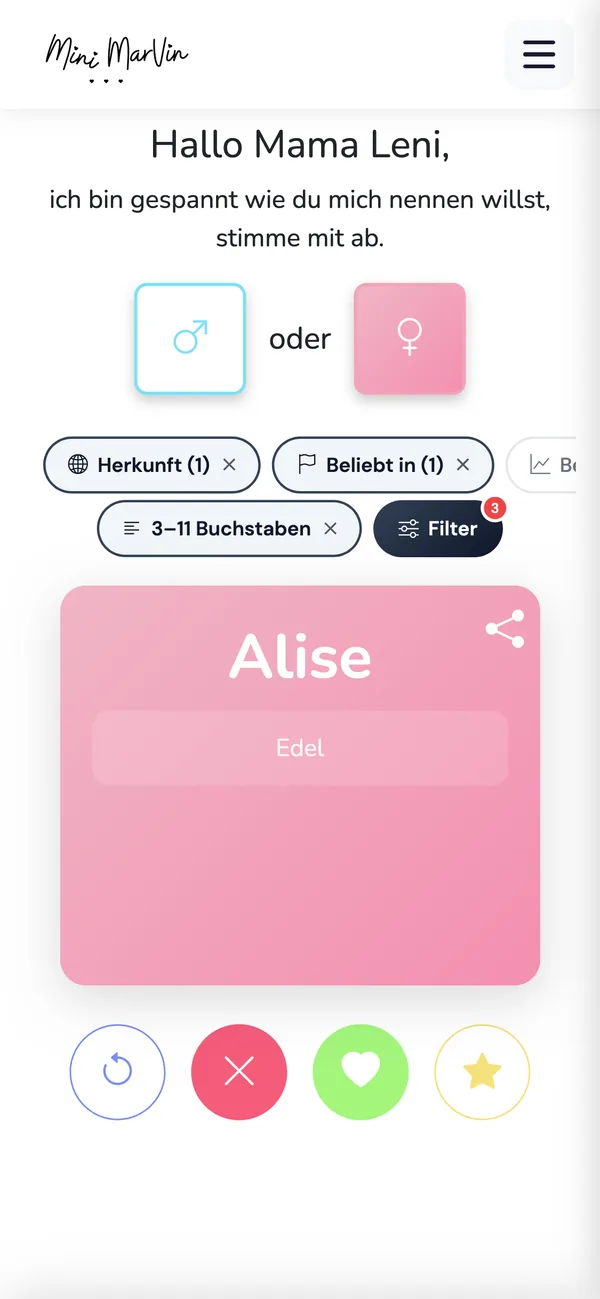
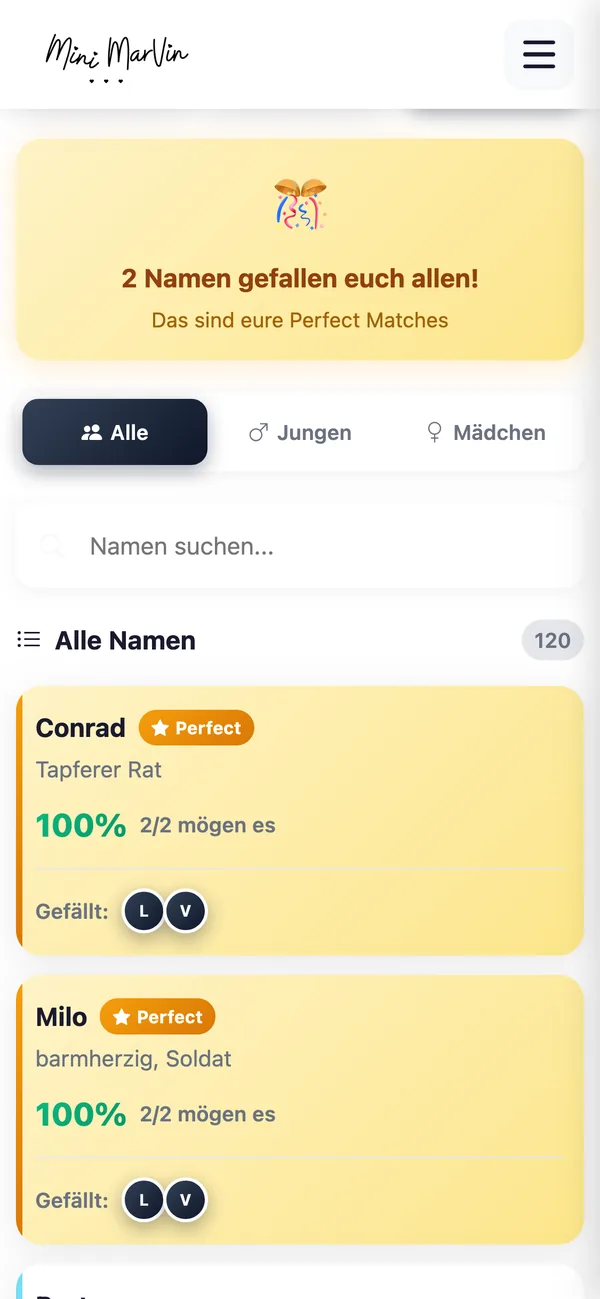
Honest answer: we have no public Astro client reference yet – this part of our offering is new. What you can look at is our Webflow work, happylipo.de, and our own products Pauly, Chess Clock and Mini Marvin. None of those is an Astro project and we will not present them as one. What we do offer instead: a small, tightly scoped pilot – one content type, one CMS, one page – before you commit to an architecture.
Our editors have worked in an editor with live preview for years. What does headless actually feel like day to day?
Unfamiliar at first, and we say that plainly. Instead of writing into a page, your editors fill the fields of a content type: headline, body, image, relationships. That makes content reusable and stops anyone from accidentally taking the layout apart – but it costs the feeling of working directly on the page. Systems with a visual editor bring most of that feeling back; the others do not. Which is why we have your team work in a candidate for a week before deciding, instead of watching a vendor demo.
Our marketing team wants to publish landing pages without waiting for the next sprint. Is that possible?
Yes, along three combinable routes. A visual editor such as Storyblok, where marketing assembles pages from approved blocks. An editorial CMS with forms, roles and approvals for everything that gets edited daily. Or editing by chat: an agent writes into the same schema-validated content model, produces a traceable commit and sends a preview back – change a line, add a post, swap an image as a message rather than as a CMS session. That chat agents are daily business here is evidenced by our own WhatsApp AI agent. New page types and layout changes stay development work.
We have ten years of content in an old system. How does it get into the new CMS?
By script, not by copy and paste. We export from the legacy system, map every field onto the new model, carry images across with their alt text, and keep the URL structure wherever we can. The effort sits in the exceptions: inline HTML inside body copy, shortcodes, unstructured free-text fields, three generations of image sizes. That is why we look at real records before estimating. And we will tell you which legacy content is not worth moving – archiving is sometimes the better decision than migrating.
How do we get out again? Is the content ours, and can it be exported?
The content is yours, and every serious headless CMS hands it back through an API or an export. The front end sits open source in your repository anyway. Even so: exportable is not the same as portable. Relationships between entries, asset URLs, permission structures and above all block-based page models are shaped by the individual vendor and do not travel one to one. The most effective protection is a clean, vendor-neutral content model – which is precisely why we model before choosing a tool.
Procurement is looking at per-seat and per-entry pricing. Does that get expensive over time?
It can, and it is the most common cost trap with hosted headless platforms. Billing runs on seats, entries, environments, API calls or traffic – and all of those grow with success. We run a three-year projection before the decision, using the team size and content volume you will plausibly have by then. Self-hosted systems invert the maths: no licence fee, but operations, updates and security sit with you. Both are defensible. The only expensive version is the one nobody calculated in advance.
Our data protection officer asks where the data sits. Can a headless CMS keep data inside the EU?
The Astro build can run with a provider in Germany or the EU; we self-host fonts and there are analytics options without cookies. On the CMS side it depends on the choice: self-hosted systems such as Strapi, Payload or Directus sit wherever you put them. With hosted vendors, the region and the subprocessors are the vendor decision – we check that before the decision rather than during acceptance. We name every service in use so your data processing agreements can be signed. We do not give legal advice; more on GDPR-compliant websites.
Our IT security team asks about the attack surface of a headless setup. What do we tell them?
That it moves rather than disappears. The page you ship is prerendered HTML with no admin login, no plugin ecosystem and no database in the delivery path – the classic attack through a vulnerable extension leads nowhere there. What remains: the CMS as a system of its own with a login and an update duty, API tokens, webhooks, form endpoints, the build pipeline and repository permissions. We work with mandatory two-factor authentication, least-privilege access, rotatable tokens and regular dependency updates, and we document where secrets live.
Who is liable if something breaks after launch?
We are – for what we built and what does not work as agreed. That gets fixed under statutory warranty without a new invoice. Two things sit outside it: a change request, which is a commission rather than a defect, and an outage at the CMS vendor, whose availability is governed by their own contract. Which category a report falls into is something we say up front, not afterwards. Fixed response and recovery times belong in the maintenance agreement; if procurement needs them, we put them in writing.
We have accessibility obligations. Does a headless CMS change anything there?
Little about the outcome, a lot about who owns it. Accessibility is created in markup, contrast, focus order, forms and keyboard operation – that is the front end we build, not the CMS. Two things help structurally: Astro ships server-rendered HTML that is readable without executing JavaScript, and the built-in image component sets the alt attribute, dimensions and loading behaviour. What the CMS has to contribute is a mandatory alt-text field and a model that does not let heading levels be skipped. We do not issue a legally binding conformity statement – details on accessible websites.
What happens if you drop out or we part ways?
You keep everything that makes up the project. The repository is yours from the first week, CMS, hosting and domain accounts are in your name, and the content model is documented. Astro is open source under the MIT licence, and the CMS is licensed or self-hosted by you anyway – there is no component tied to us. The repository carries a README covering build, deployment and content model. Any team working with JavaScript and Git can take over. Changing partners is never pleasant, but it is not a rebuild.
Can we take this in house later – and will we find people for it?
Yes, if somebody on the team works with HTML, CSS, JavaScript and Git. That is exactly what Astro components are; interactive islands can be written in React, Preact, Svelte, Vue, SolidJS or Alpine.js. So you hire from the general JavaScript market rather than an Astro market, and onboarding means documentation plus repository. On the CMS side the question is different: a self-hosted system permanently needs somebody for updates and backups. If that person does not exist, we recommend a hosted CMS or a maintenance agreement that assigns the responsibility clearly.
How long does this take, and can we start small?
Selection alone is two to four weeks: inventory, draft model, shortlist, editorial test, written recommendation. A pilot with one content type, one candidate and one real page template fits into two to three weeks and answers whether your team likes the system. Building a marketing website with a CMS runs eight to twelve weeks including selection; several languages, approval stages or a large legacy archive push it to fourteen weeks and up. Starting small is explicitly welcome – the pilot is the cheapest way to audit us.
Is WordPress a headless CMS?
Not by default, but it can be run that way. WordPress ships a REST API, and WPGraphQL adds a GraphQL endpoint. Editors stay in the editor they know while the front end is built separately. The process is described on WordPress to headless CMS.
Does a headless CMS need its own server?
A hosted system such as Storyblok, Sanity or Contentful does not – operations sit with the vendor. Strapi, Payload and Directus are run by you and need a runtime for it. The Astro site in front normally ships as a static build with no server of its own.
Is a headless CMS good for SEO?
The technical foundation is good, because Astro prerenders by default and search engines receive finished HTML. The CMS itself ranks nothing. Content, structure, redirects and metadata still decide – and metadata has to be part of the content model, otherwise it is missing on every page later.
Is Astro free?
Yes. Astro is open-source software under the MIT licence; there is no licence fee for the framework itself. Cost comes from the build, content, hosting and operations – and, if you use one, from the headless CMS with its own pricing model.
Let us talk about your content, not about tools.
Tell us what content you maintain and where it needs to go. You get a recommendation with reasoning – and the honest counter-argument alongside it. Usually within 24 hours.
Start a headless CMS project.
Briefly describe your current system, who maintains content and what needs to change. We come back with a first assessment – even when it says you should stay where you are.
We usually reply within 24 hours.
Remote & on site – working across the DACH region (DE, AT, CH), with international project experience.
Related reading.
Astro and CMS options
Content collections, Git-based CMS or API-driven CMS: which content source suits an Astro project – and why the simplest often wins.
Learn moreWordPress to headless CMS
Keep WordPress as the editing system and rebuild the front end. Process, effort and the limits of this approach.
Learn moreAstro Agency
Websites built with Astro: development, performance, migration and ongoing care in one overview.
Learn more