
Astro integrations: can it talk to our systems?
Astro integrations in day-to-day B2B: enquiries into the CRM, numbers into analytics, prices out of the ERP. Here is how those connections work and when a requirement turns into custom software.
Integrations are packages
They are installed as a package and enabled in the Astro config, so the repository shows what ships.
Server-side before client-side
Where a service offers a server API, we use it. Your visitors then load nothing extra.
Every tool justifies itself
Before anything ships we ask which decision the tool improves. The rest falls away.












See what we build.
Mini Marvin is our own progressive web app, designed, built and running live in the browser.
Swipe baby names instead of scrolling
Mini Marvin is our progressive web app for finding baby names: swipe through 10,000+ first names right in the browser, no app store needed.

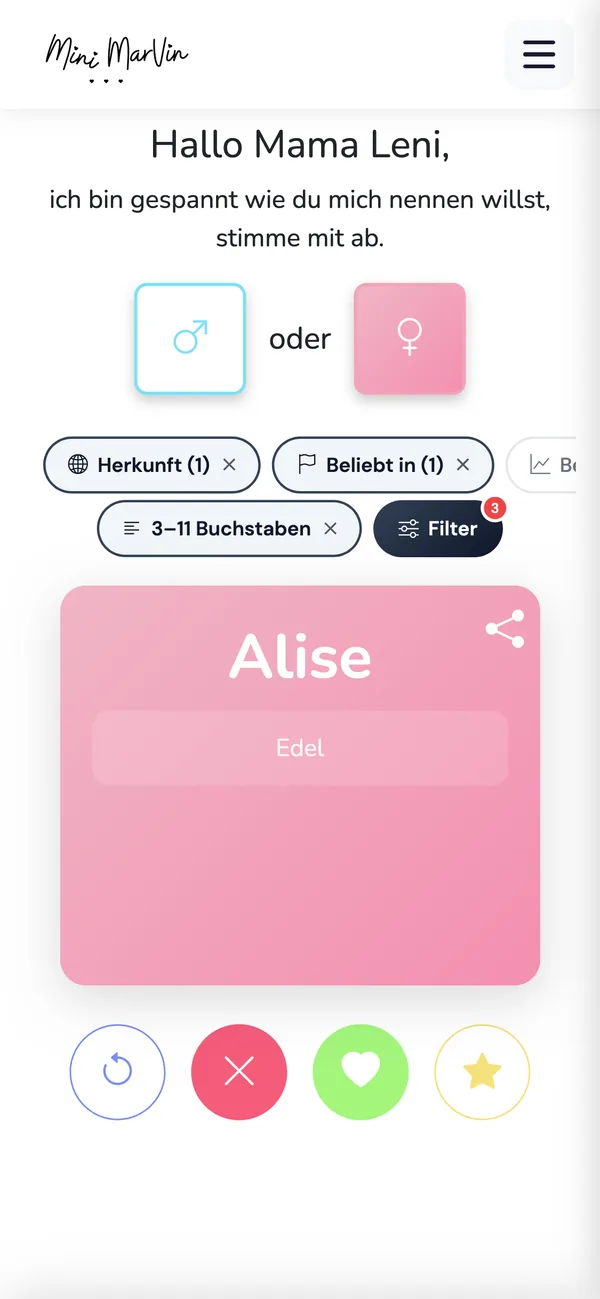
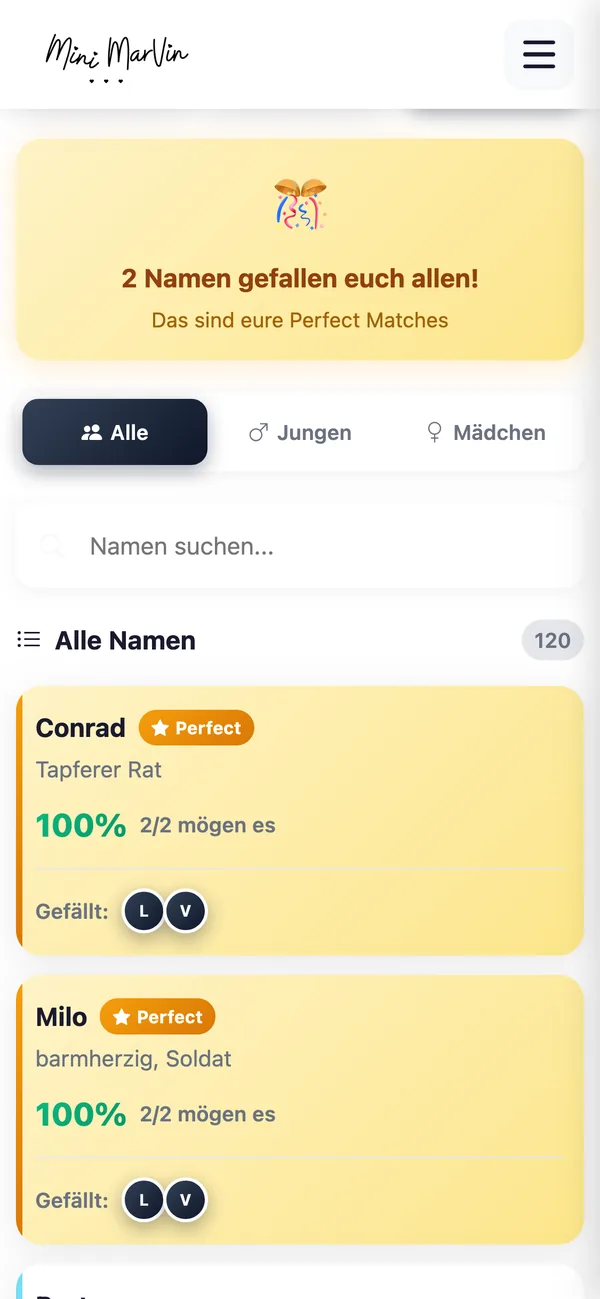
What an Astro site connects to in practice.
-
Forms land straight in the CRM
We build the endpoint server-side and write through the API into Salesforce, HubSpot, Pipedrive or Business Central.
More on this
Your fields are mapped: source, campaign, consent text, timestamp. When the target system stays quiet, the enquiry is buffered, retried and delivered by email in parallel. Credentials stay on the server. An Astro API integration like this needs a route with on-demand rendering and therefore an adapter, see Astro hosting.
-
Analytics loads after consent
Tools that require consent are absent from the page source. They arrive once the visitor has decided.
More on this
Before go-live we check in staging with the developer tools open which connections are opened without consent, and you get that log. The legal assessment stays with your data protection advisers, the technical build stays with us: GDPR-compliant websites.
-
ERP data arrives at build time
Prices, availability and product data are fetched during the build. If the source goes down, the site stays up.
More on this
A webhook from the ERP, the PIM or a headless CMS triggers the build whenever something changes, with throttling and a failure notice. Structured content lives in content collections with a Zod schema: a malformed field from the source system breaks the build, never the live page.
-
Third-party widgets become islands
Booking calendars, maps and chat bring their own JavaScript. We load them when they scroll into view.
More on this
Astro strips client-side JavaScript from components by default. Interactivity is requested per component through a
client:*directive: immediately, on browser idle, or when the component becomes visible. Official integrations exist for React, Preact, Svelte, Vue, SolidJS and Alpine.js. Where a script field has already grown, the work starts with performance optimisation.
Know which systems have to play along?
Send us the list: CRM, analytics, booking, ERP. You get an assessment of what has a documented interface and what stays a widget.
Astro integrations at a glance.
| Topic | Short answer | What it depends on |
|---|---|---|
| Forms & CRM | A server-side endpoint writes directly into the target system, with confirmation mail and a log. | Whether the target system has a documented API and how fast you can release access. |
| Search | A static index from the build for most sites, a hosted search service once facets and synonyms matter. | Page count, languages and whether queries may leave the building. |
| Payments & shop | A hosted checkout page for countable products. Cart and returns belong in a shop system. | Whether shipping rules, tax logic and stock levels come into play. |
| Server needed? | Only for on-demand routes. Those need an adapter for the target runtime, such as Node, Vercel or Cloudflare. | How many routes have to be dynamic. Everything else stays static. |
How we approach integrations.
First assessment
You name the systems in the building, we say which of them has a documented interface.
Inventory and data flows
Every tool with purpose, data fields, processing location and consent requirement.
Decision per tool
Keep, replace, move server-side or drop. The adapter decision falls here too.
Build
Endpoints, field mapping, error handling, consent wiring, loading priorities for the islands.
Handover or retainer
Inventory, access and documentation go to you. Interfaces age, somebody has to read the change notices.
Common questions about Astro integrations.
Do form enquiries land in our CRM automatically?
Yes. The form endpoint runs server-side and creates a record in the target system through its API, carrying source, campaign, consent text and timestamp. If the system stays quiet, retry logic plus email delivery make sure the enquiry survives.
How do you make sure nothing loads before consent?
Consent is a technical condition. Tools that require it are absent from the page source and only load once the visitor has decided. We verify this in staging with the developer tools open and hand you the log of connections that were opened.
Our prices live in the ERP. Does someone have to touch the site?
No. Either the data comes into the page at build time and a webhook from the ERP triggers the build, or the affected route renders on demand and reads through a cache. We choose by how often the data changes.
Does Astro need a server to accept forms?
Yes, if the processing should sit with you. By default the site is prerendered and served statically. As soon as a route accepts data it needs on-demand rendering and an adapter for the target runtime, such as Node, Vercel or Cloudflare.
What does an integration cost and how long does it take?
A form with CRM delivery takes days, an analytics and consent setup one to two weeks, an ERP or PIM connection four to ten weeks. We quote after the first call, together with the assumptions the number rests on.
Could we build the integrations ourselves with AI?
The code often, yes. The work sits elsewhere: who owns the data, which field wins, who releases the API access, what happens during an outage. For an example of an agent that holds up, see our WhatsApp AI agent with escalation to a human.
More from the Astro cluster.
The pages adjacent to integrations:
Which systems have to play along?
Send us the list. You get an assessment of what has a clean interface, what stays a widget and what we would advise against.
Integrations for your Astro site.
Briefly describe which systems need connecting: CRM, analytics, booking, ERP, commerce.
We usually reply within 24 hours.
Remote and on site in Germany, Austria and Switzerland. International projects on request.
Related services.
IT Project Management & ERP
When the real work sits in the source system: ERP rollouts, vendor selection and steering the implementation partners.
Learn moreAI Automation
When the processes come after the connections: agents and automations in day-to-day operations.
Learn moreCustom Software Development
When the gated area turns into an application, with roles, logic and editing screens.
Learn more