
SwiftUI desktop app development: a true Mac app, one codebase.
We develop your SwiftUI desktop app from the same codebase as your iPhone and iPad app: a Mac app with menu bar, multiple windows and keyboard shortcuts, rooted in the Apple system.
macOS-native
Menu bar, window management and Mac interaction patterns, no upscaled iPad layout.
One Apple codebase
Same SwiftUI foundation for Mac, iPad and iPhone; the desktop is a next step, no second project.
Windows? Flutter
SwiftUI covers Apple devices only; for Windows we recommend Flutter or React Native.










See what we build.
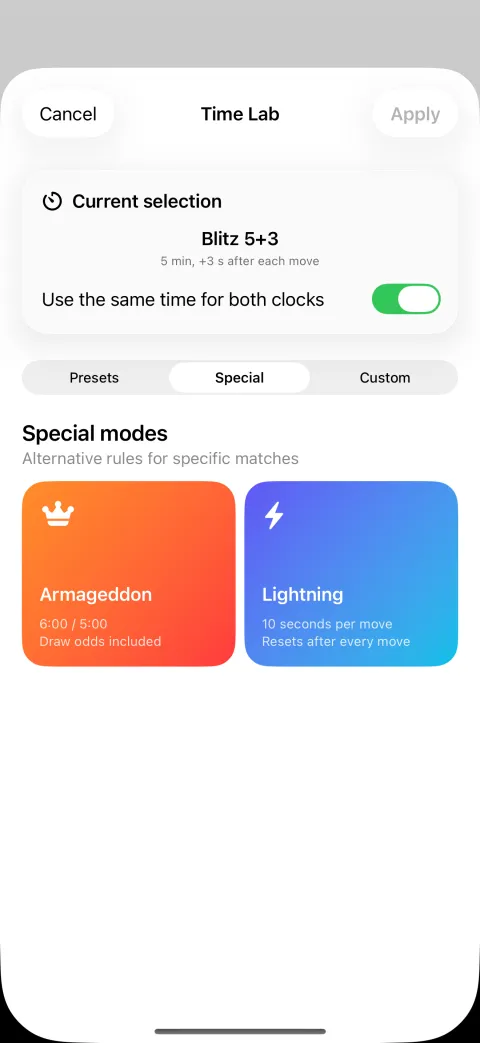
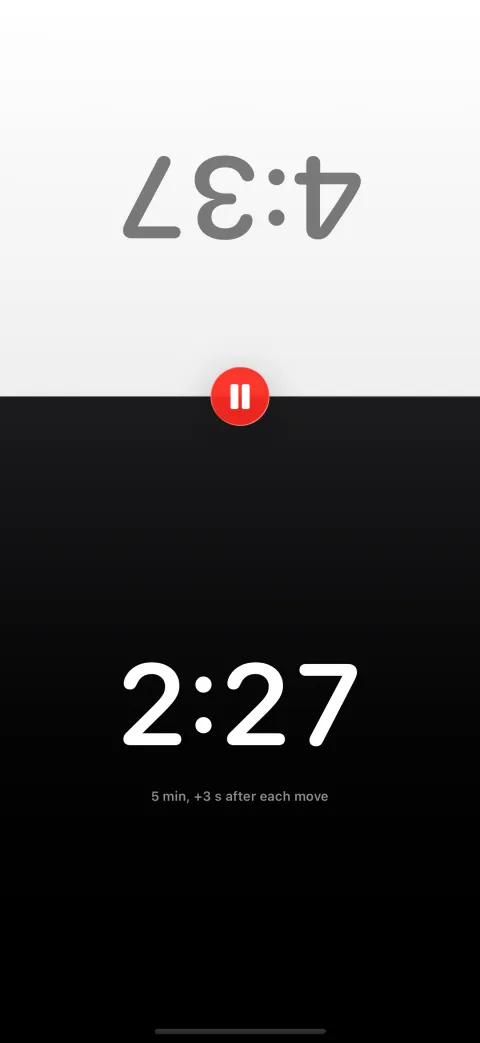
Two players, one iPhone
Split screen with a mirrored opponent side, large digits and one-tap pause. Native SwiftUI, works offline, live on the App Store.

What SwiftUI desktop apps are built for.
-
Mac companion to an iOS app
You have an iPhone or iPad app and want the Mac workplace to follow: same logic, same data, synced via iCloud.
More on this
Business logic, data model and most of the interface are shared across iPhone, iPad and Mac; only layouts and controls adapt. Works offline, syncing via iCloud once reconnected.
-
Tools for the large screen
Productivity tools for creative or specialist work, dashboards with figures from your systems, and menu bar helpers for monitoring or quick actions.
-
Internal apps for Mac fleets
Companies running on Macs get tools that roll out and update via MDM; otherwise distribution runs through the Mac App Store or a notarised DMG.
-
Native macOS app development with SwiftUI
Menu bar, multi-window support, keyboard shortcuts, context menus, drag and drop and sidebar are available directly in SwiftUI. Where needed, we add AppKit.
More on this
macOS has been a SwiftUI target from the start; the result is a universal app for Apple Silicon and Intel Macs. iCloud/CloudKit, Handoff, widgets, Spotlight and App Shortcuts are connected where useful.
Your iOS app on the Mac?
If your users need at their desk what they have on the go, a short call settles Catalyst versus native macOS target.
Test our work on the App Store.
 Chess Clock · Blitz Timer
Chess Clock is our own SwiftUI app: a chess clock with Fischer, Bronstein and delay increments, tournament time controls and Live Activities on the Lock Screen. One Swift codebase for iPhone, iPad, Mac, Apple Watch, Apple TV and Vision Pro, works offline, no account required, live on the App Store.
 Byoyomi Timer · Go game clock
Our second SwiftUI app: a game clock for Go with Japanese byo-yomi, Canadian overtime, Fischer bonus and more time systems, voice countdown in multiple languages and Live Activities on the Lock Screen. For iPhone and iPad, works fully offline, no account required.
Frequently asked questions about SwiftUI desktop apps.
Can't I just build a Mac app myself with AI?
For a prototype, yes. For a macOS app with a menu bar, multi-window support and deep Apple integration, signed and notarised, rarely. AI produces Swift code but no Mac interaction logic. We work AI-assisted, backed by our own apps in the store.
What is the difference between Mac Catalyst and a native macOS target?
Mac Catalyst brings an iPad app to the Mac with modest effort, with iPad heritage in the interaction. A native macOS target uses SwiftUI directly and feels like a native Mac app. We recommend what fits ambition and budget.
Can SwiftUI also deliver a Windows version?
No, SwiftUI runs exclusively on Apple platforms. If you need Windows, alone or alongside the Mac, we recommend Flutter for Windows and macOS from one codebase.
How is a Mac app distributed?
Via the Mac App Store or as a signed, Apple-notarised DMG for direct download, in companies centrally via MDM. The audience and update strategy decide.
How much does a SwiftUI desktop app cost, and how long does it take?
As an extension of an existing SwiftUI app the extra effort is moderate. As a standalone project the feature scope sets range and duration, with an itemised estimate after the first call.
Mac power from your Apple codebase.
Next step for your iOS app or a standalone Mac app: we tell you what it takes, what it costs and when Flutter is smarter.
Request a Mac project.
Briefly outline your project and we reply with an assessment.
We usually reply within 24 hours.
Remote and on site in Germany, Austria and Switzerland. International projects on request.